
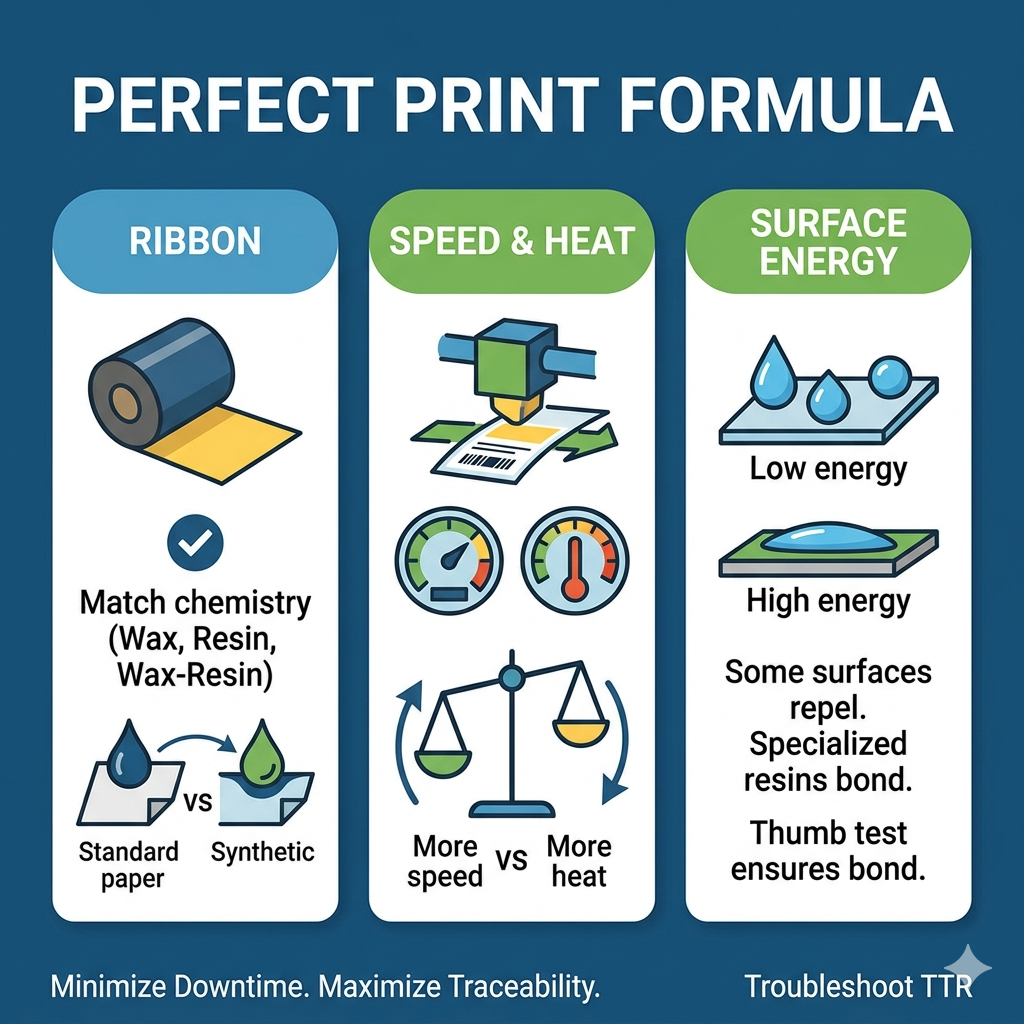
 In high-speed manufacturing, your printer is only as reliable as the ribbon inside it. When barcodes begin to fade, flake, or smudge, it is rarely a mechanical failure. Instead, it is almost always a mismatch between the ribbon, the substrate material, or the print settings. Understanding these three pillars is the key to minimizing downtime and preventing rejected inventory.
Thermal Transfer Ribbons (TTR) work by melting ink onto a surface, but the chemical bond must match the material.
Wax Ribbons: Ideal for standard paper labels. They melt at low temperatures but lack resistance to heat, chemicals, and abrasion.
Wax-Resin Ribbons: The versatile choice. They perform well on coated papers and various synthetic films, offering significantly better smudge resistance than pure wax.
Full Resin Ribbons: The industrial standard. These require higher heat to melt and are engineered to “bite” into synthetic materials like polyester, polypropylene, and vinyl. Using resin on standard paper often leads to flaking because the ink cannot properly anchor to the porous surface.
Even with the correct ribbon, incorrect print settings can lead to failure.
Print Heat (Darkness): Too much heat causes the ribbon to bleed and blurs the edges of the barcode, making it unreadable by scanners. Conversely, too little heat prevents the ink from transferring fully, causing white gaps in the print.
Print Speed: Line speed and heat are linked. If you increase your line speed, the print head has less time to transfer heat to the label. To maintain quality, you must either increase the temperature or reduce the speed.
Some synthetic films have “low surface energy,” meaning they are naturally repellent to ink. If your ribbon formulation isn’t designed to overcome this barrier, the ink will sit on the surface rather than bonding, leading to immediate rub-off.
If you are encountering print quality issues, use this guide to identify the source:
Ink Smudging/Rub-off: Likely caused by using a ribbon with insufficient resin content. Solution: Switch to a higher resin-content ribbon.
Faded/Grey Print: Usually indicates insufficient heat or pressure. Solution: Increase the print head temperature (Darkness) settings.
Blurred/Bloated Barcode: A clear sign of excessive heat. Solution: Reduce the print head temperature.
White Gaps in Print: Often caused by high printing speeds or a dirty print head. Solution: Clean the print head thoroughly or decrease your print speed.
Ink Flaking Off: A sign of a ribbon-material mismatch. Solution: Verify that your ribbon is specifically formulated for the surface energy of your film.
Before committing to a long production run, perform a “Thumb Test.” After printing a test label, wait 30 seconds and rub it vigorously with your thumb. If the ink smears or flakes, your ribbon formulation or heat settings require adjustment before you waste expensive packaging material.
Ensuring label integrity is more than just quality control; it is a fundamental requirement for safety and supply chain compliance. As noted by the Occupational Safety and Health Administration (OSHA), labels must be durable and legible to meet safety regulations for hazardous materials. Furthermore, for specialized industrial applications, standards like BS5609 represent the gold standard, as they dictate the “durability of both the ribbon and the substrate in harsh environments”.
